$10
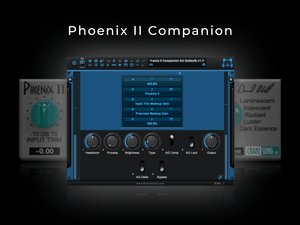
Phoenix II Companion (BC Patchwork preset)
⚡️ A Smarter Way To Use Phoenix II ⚡️
Ever wished you could dial in Phoenix II at unity gain?
Well now you can with Phoenix II Companion!
Phoenix II is a powerful saturation processor, but it has a few minor issues that make using it a little difficult...
❌ No linked Input and Output trim
❌ Output trim is limited to +/- 6dB, while Input trim is +/- 10dB
❌ The Process knob boosts signal +4dB by default
❌ The Brightness and Type knobs drastically affect gain structure, making it impossible to judge results objectively
Phoenix II Companion solves this by adding the following new features:
✅ A headroom knob (level-compensates the input trim knob)
✅ Auto-Gain Compensation (via TBProAudio ABLM2 ) - addressing all the various level changes when adjusting the Process, Brightness & Type knobs.
✅ Auto-Gain Lock (to pause the Auto-Gain measurements and lock in the output level)
✅ Delta Monitoring (to hear exactly what the plugin is doing)
✅ Ability to finely adjust all plugin parameters using the arrow keys
System Compatibility:
- MacOS 12 Monterey and above (Intel & Apple Silicon)
- Windows 10 (64-bit) and above
Host Compatibility:
- Any DAW running Blue Cat's PatchWork v2.75 or later
Plugin Requirements (AU or VST3):
- Cranesong Phoenix II
- TBProAudio ABLM2 v2.2.13 or later
What is ABLM2?
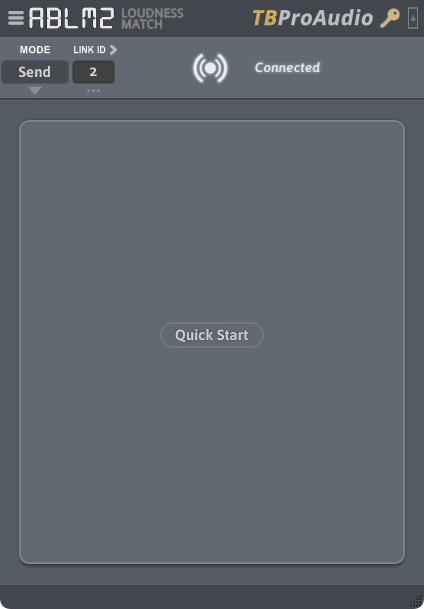
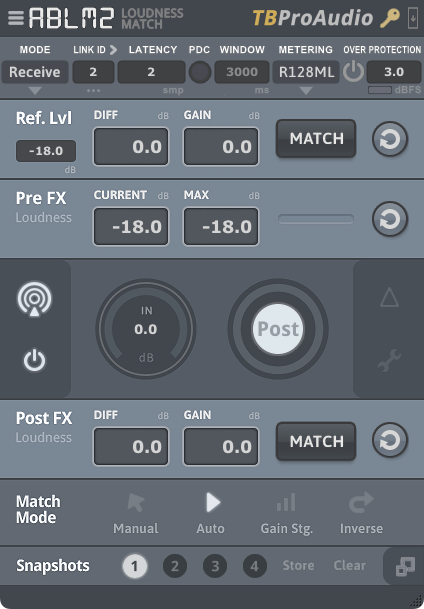
TBProAudio's AB Loudness Match 2 consists of a pair of gain control plugins (a sender and receiver) that enable level matched and sample accurate AB comparisons of plugins or entire FX chains.
Why was it used in Phoenix II Companion?
Integrating it into Phoenix II Companion was essential, as Phoenix II has several parameters that can significantly impact its output volume. By automating the handling of Phoenix II's output, we can focus more effectively on evaluating its effects and understanding its actual impact, rather than spending time trying to level match first, and then assess results.
How do I use Phoenix II Companion?
You can either use Phoenix II exactly as you've been using it (while auto-gain does its thing), or via Patchwork's macros - each mapped to all the same parameters, but with some added benefits as listed above.
I recommend only using Patchwork's controls, and with Phoenix II and ABLM2 visible - which is how these presets load up by default. (If you ever want to hide these plugins or re-position them upon loading a preset, you can do so, and then save/overwrite the Patchwork preset).
Once you're done dialing in Phoenix II, just engage the "AG Lock" switch, to pause/lock in ABLM2's measured output, since loudness gets measured/compensated every 400ms by default. (This default measurement can be changed within ABLM2 if needed, but this ensures the fastest output adjustments when adjusting parameters). While this dynamic compensation is not entirely ideal to use on certain dynamics processors, this is the best solution thus far to compensate for loudness changes in plugins that don't currently offer accurate (or any) gain compensation. Just don't forget to engage the AG Lock switch - otherwise ABLM2 can act as dynamics processor itself.
Are there any other things to know when using ABLM2?
Yes, please read this.
Files included:
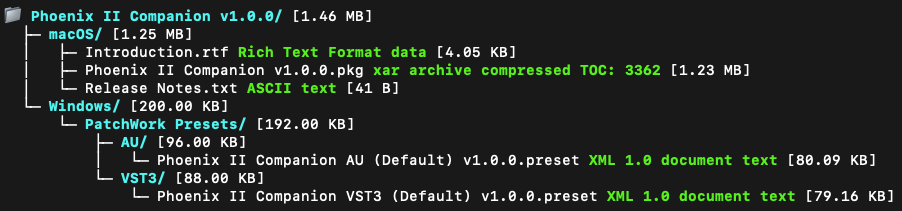
Includes a convenient pkg installer for macOS, or preset files for Windows/manual install
Release Notes:
v1.0.0:
- Initial Release
Returns & Exchanges
Due to the nature of this digital product, returns are not possible unfortunately. However, I am committed to providing exceptional support for all purchases. If you have any questions or issues, please reach out with your transaction ID and I'll be happy to assist.
We hope these "companion" presets help make using this plugin a little easier!
Enjoy!
Say goodbye to average vocals

Questions or want to request a demo ?
Sign up to our newsletter
Join our community and get the latest tips, deals and product updates straight to your inbox. 🔒 We will never send spam or share your information