$10
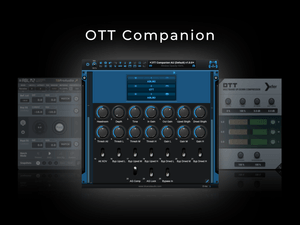
OTT Companion (BC Patchwork preset)
⚡️ A Smarter Way To Use OTT ⚡️
Ever wished you could dial in OTT's effect at unity gain, link all band thresholds, or even oversample OTT?
Well now you can (and more) with the OTT Companion!
OTT is a powerful multi-band compressor, but it has a few minor issues that make using it a little difficult...
❌ No linked input and output knob
❌ Input and output knobs are extremely sensitive, making it hard to dial in precise dB amounts
❌ No linked threshold control for high, mid & low bands
❌ No direct plugin bypass on the GUI
❌ No GUI control for activating OTT's hidden alternative crossover
❌ Not-so-obvious bypass mechanisms for each band's upwards & downwards compression.
OTT Companion solves this (and more) by adding the following new features:
✅ A headroom knob (+/- 40dB of clean, level-compensated gain)
✅ Auto-Gain Compensation (via TBProAudio ABLM2 )
✅ Auto-Gain Lock (to pause the Auto-Gain measurements and lock in the output level)
✅ Undo/Redo capabilities
✅ Up to 16x HQ Oversampling
✅ A switch that uncovers OTT’s hidden alternative crossover
✅ Per-band bypass switches of all downwards & upwards compression effects
✅ A built-in plugin bypass switch
✅ Ability to finely adjust all plugin parameters using the arrow keys
✅ Includes custom startup presets that measure perfectly flat
System Compatibility:
- MacOS 12 Monterey and above (Intel & Apple Silicon)
- Windows 10 (64-bit) and above
Host Compatibility:
- Any DAW running Blue Cat's PatchWork v2.75 or later
Plugin Requirements (AU, VST2 or VST3):
- Xfer Records OTT v1.3.7 or later
- TBProAudio ABLM2 v2.2.13 or later
What is ABLM2?
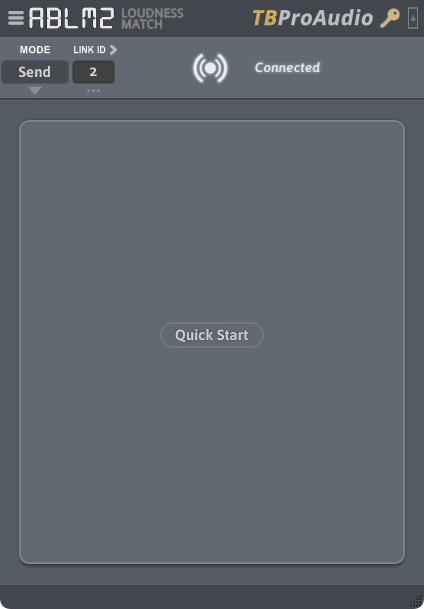
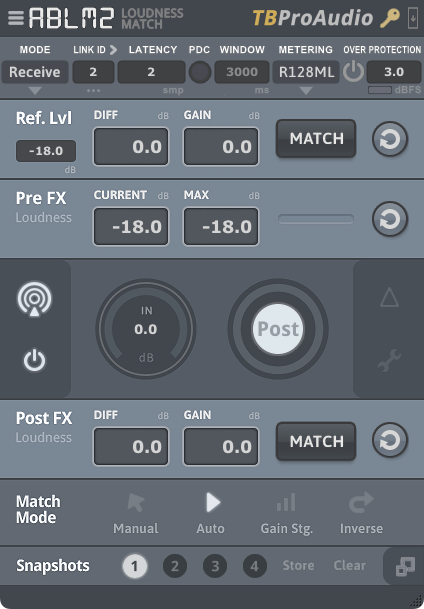
TBProAudio's AB Loudness Match 2 consists of a pair of gain control plugins (a sender and receiver) that enable level matched and sample accurate AB comparisons of plugins or entire FX chains.
Why was it used in OTT Companion?
Integrating it into the OTT Companion was essential, as OTT has numerous parameters that can significantly impact its output volume. By automating the handling of OTT's output, we can focus more effectively on evaluating its effects and understanding its actual impact, rather than spending time trying to level match first, and then assess results.
How do I use OTT Companion?
You can either use OTT exactly as you've been using it (while auto-gain does its thing), or via Patchwork's macros - each mapped to all the same parameters, but with some added benefits as listed above.
I recommend only using Patchwork's controls, and with OTT and ABLM2 visible - which is how these presets load up by default. (If you ever want to hide these plugins or re-position them upon loading a preset, you can do so, and then save/overwrite the Patchwork preset).
Once you're done dialing in OTT, just engage the "AG Lock" switch, to pause/lock in ABLM2's measured output, since loudness gets measured/compensated every 400ms by default. (This default measurement can be changed within ABLM2 if needed, but this ensures the fastest output adjustments when adjusting parameters). While this dynamic compensation is not entirely ideal to use on a dynamics processor like OTT, this is the best solution thus far to compensate for loudness changes in plugins that don't currently offer accurate (or any) gain compensation. Just don't forget to engage the AG Lock switch - otherwise ABLM2 also becomes a dynamics processor.
Are there any other things to know when using ABLM2?
Yes, please read this.
Files included:
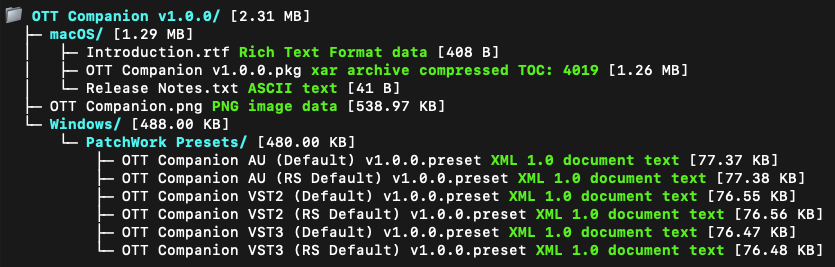
Important:
- OTT’s VST3 version has a recall bug on macOS, but we’ve provided a preset for it anyway - in case it works for you. We suggest using only the AU or VST2 presets until Xfer Records provides a fix.
Release Notes:
v1.0.0:
- Initial Release
Returns & Exchanges
Due to the nature of this digital product, returns are not possible unfortunately. However, I am committed to providing exceptional support for all purchases. If you have any questions or issues, please reach out with your transaction ID and I'll be happy to assist.
We hope these "companion" presets help make using this plugin a little easier!
Enjoy!
Say goodbye to average vocals
Questions or want to request a demo ?
Sign up to our newsletter
Join our community and get the latest tips, deals and product updates straight to your inbox. 🔒 We will never send spam or share your information